
112 lines
3.5 KiB
Markdown
112 lines
3.5 KiB
Markdown
<!--------------------------------------------- TITLE AND DEFINITION starts -->
|
|
|
|
{% assign title = "Shapes" %}
|
|
{% assign definition = site.data.data_mine.shapes %}
|
|
{% assign preposition = "a" %}
|
|
{% assign plural = "" %}
|
|
|
|
<!--------------------------------------------- TITLE AND DEFINITION ends -->
|
|
|
|
{% if include.more == "yes" and include.heading == "more" %}
|
|
<details class="detailsCollapsible"><summary class="nobr">Click to learn more about {{ title | downcase }}{{plural}}
|
|
</summary>
|
|
{% endif %}
|
|
|
|
{% if include.heading != "" and include.heading != "more" %}
|
|
{{include.heading}} {{title}}
|
|
{% endif %}
|
|
|
|
{% if include.icon != "no" %}
|
|
|
|
{% if include.table == "yes" and include.icon != "no" %}
|
|
<table class="definitionTable"><tr><td>
|
|
{% endif %}
|
|
|
|
<img src='images/icons/{{include.icon}}{{ title | downcase | replace: " ", "-" }}.png' />
|
|
|
|
{% if include.table == "yes" and include.icon != "no" %}
|
|
</td><td>
|
|
{% endif %}
|
|
|
|
{% endif %}
|
|
|
|
{% if include.definition == "bold" %}
|
|
<strong>{{ definition }}</strong>
|
|
{% else %}
|
|
{% if include.definition != "no" %}
|
|
{{ definition }}
|
|
{% endif %}
|
|
{% endif %}
|
|
|
|
{% if include.table == "yes" and include.icon != "no" %}
|
|
</td></tr></table>
|
|
{% endif %}
|
|
|
|
{% if include.more == "yes" and include.content == "more" and include.heading != "more" %}
|
|
<details class="detailsCollapsible"><summary class="nobr">Click to learn more about {{ title | downcase }}{{plural}}
|
|
</summary>
|
|
{% endif %}
|
|
|
|
{% if include.content != "no" %}
|
|
|
|
<!--------------------------------------------- CONTENT starts -->
|
|
|
|
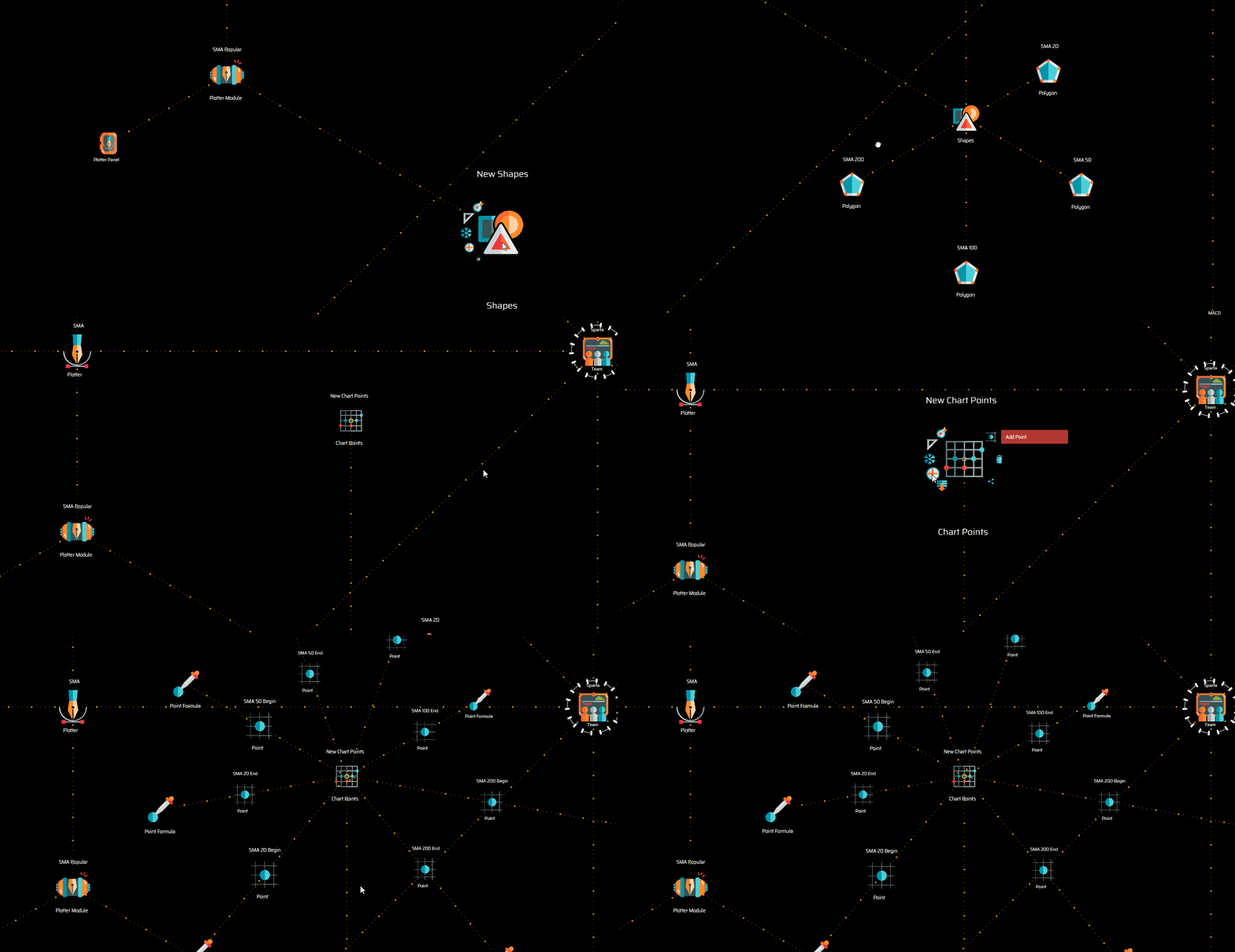
A plotter recursively renders graphics for each period or candle. This means that a definition of what shapes need to be drawn for a single period is required. The plotter does the same thing for every period or candle that is visible on the screen at any point in time, for any time frame, as long as the corresponding data is available.
|
|
|
|
[](https://user-images.githubusercontent.com/13994516/71016080-eab41180-20f4-11ea-84c6-a514b87d568f.gif)
|
|
|
|
In general terms, the process of defining what is going to be rendered on the screen consist of the following four steps:
|
|
|
|
1. Identifying points defined by ```[x,y]``` coordinates
|
|
2. Defining polygons
|
|
3. Defining default styles
|
|
4. Defining conditional styles
|
|
|
|
<!--------------------------------------------- CONTENT ends -->
|
|
|
|
{% endif %}
|
|
|
|
{% if include.more == "yes" and include.content != "more" and include.heading != "more" %}
|
|
<details class="detailsCollapsible"><summary class="nobr">Click to learn more about {{ title | downcase }}{{plural}}
|
|
</summary>
|
|
{% endif %}
|
|
|
|
{% if include.adding != "" %}
|
|
|
|
{{include.adding}} Adding {{preposition}} {{title}} Node
|
|
|
|
<!--------------------------------------------- ADDING starts -->
|
|
|
|
To add a shapes node, select *Add Shapes* on the plotter module menu.
|
|
|
|
<!--------------------------------------------- ADDING ends -->
|
|
|
|
{% endif %}
|
|
|
|
{% if include.configuring != "" %}
|
|
|
|
{{include.configuring}} Configuring the {{title}}
|
|
|
|
<!--------------------------------------------- CONFIGURING starts -->
|
|
|
|
XXXXXXXXXXXXXXXXXXXXXXXXXXXXXXXXXXXXXXXXXXXXXXXXXXXXXX
|
|
|
|
<!--------------------------------------------- CONFIGURING ends -->
|
|
|
|
{% endif %}
|
|
|
|
{% if include.starting != "" %}
|
|
|
|
{{include.starting}} Starting {{preposition}} {{title}}
|
|
|
|
<!--------------------------------------------- STARTING starts -->
|
|
|
|
XXXXXXXXXXXXXXXXXXXXXXXXXXXXXXXXXXXXXXXXXXXXXXXXXXXXXX
|
|
|
|
<!--------------------------------------------- STARTING ends -->
|
|
|
|
{% endif %}
|
|
|
|
{% if include.more == "yes" %}
|
|
</details>
|
|
{% endif %} |