
5.9 KiB
title, summary, sidebar, permalink
| title | summary | sidebar | permalink |
|---|---|---|---|
| Session Parameters | suite_sidebar | suite-session-parameters.html |
Introduction
| Parameters |
|---|
 |
Each testing session has its own set of parameters. This allows you to configure different trading sessions with different parameters, and go back and forth between them as required. For instance, you may have different backtesting sessions with different date ranges, different exchange fees or different slippage settings.
NOTE: If any of these parameters are missing from the configuration of the testing session, the system's fallback mechanism will look for the parameters at the trading system level and use those settings instead.
We covered the Base Asset parameter when explaining trading systems. Let's now review the rest.
Exchange Fees
Fees are a crucial part of the game. A strategy may work like a charm when you leave fees out of the equation but would lead you to bankruptcy in a live trading situation.
Simulations take fees into account when the following piece of code is present and properly configured in your Fee Structure parameter:
| Fee Structure |
|---|
 |
{
"maker": 0.15,
"taker": 0.25
}
The above configuration corresponds to standard Poloniex maker and taker fees. Remember, for the time being, all orders placed by the trading bot are market orders, thus, the taker fee applies in all cases.
To illustrate how fees affect your bottom line, take a look at the image below.
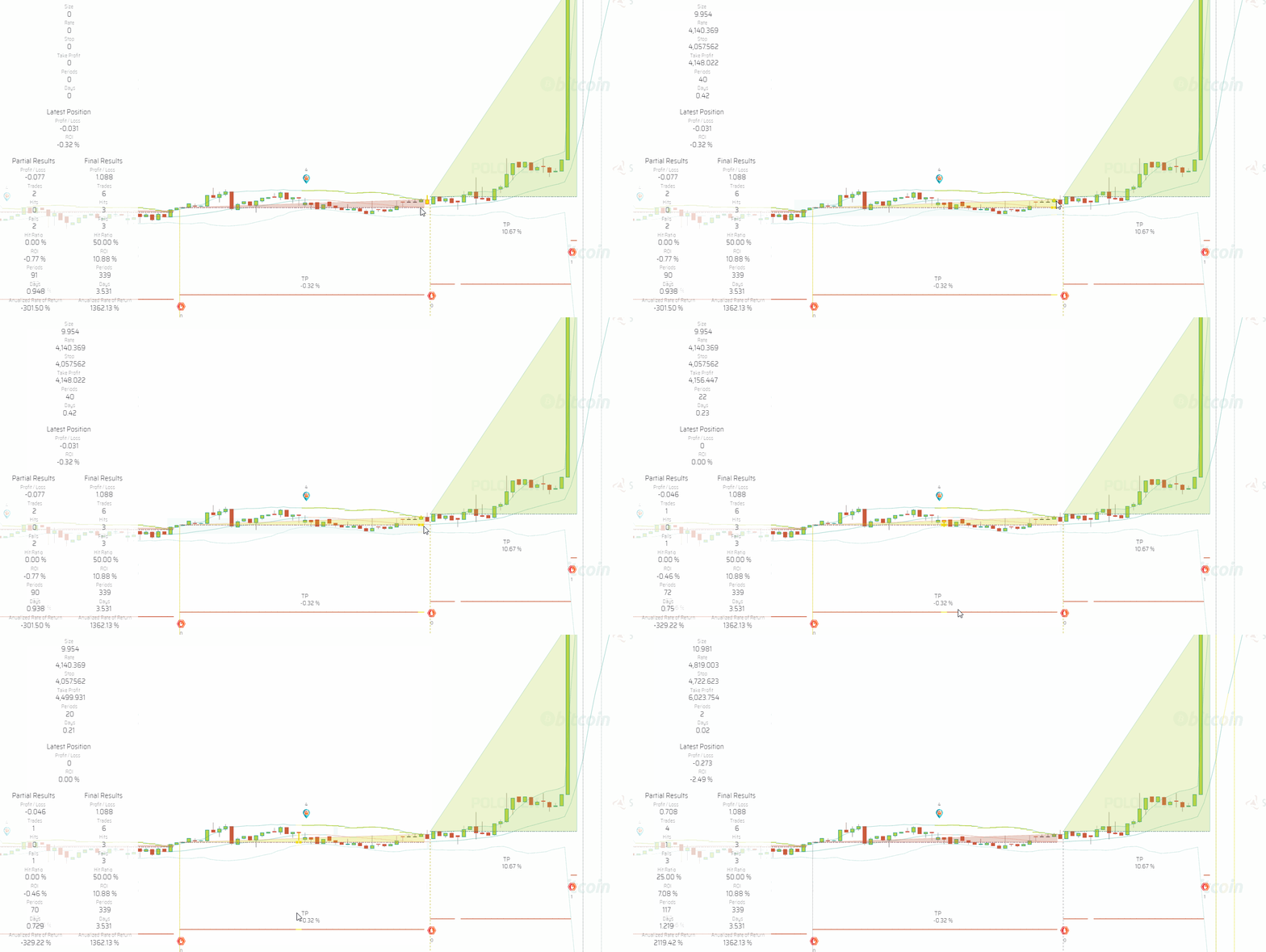
The trade hits the take profit target above the Position Rate level, however, due to fees, the trade has a negative 0.32% ROI.
NOTE: If the Fee Structure parameter is left empty or detached both from your testing session and your Trading System, fees will not be computed during simulations.
Slippage
Slippage is another issue you need to be aware of to more realistically evaluate a strategy. The price at which the exchange will fill the order placed by the trading bot is seldom going to match the conditions of the simulation.
To account for slippage during simulations, you may enter slippage values for the three different occasions in which the trading bot will place orders: Take Position, Take Profit and Stop.
| Slippage |
|---|
 |
Simulations take slippage into account when the following piece of code is present and properly configured in your Slippage parameter:
{
"positionRate": 0.1,
"stopLoss": 0.2,
"takeProfit": 0.3
}
The number you enter is applied as a percentage of the price of the order and added or subtracted from the price depending on the circumstances, always working against you. For instance, "positionRate": 0.1 means the position will be set at a price 0.1% higher if you stand on USDT or lower if you stand in BTC.
The result of slippage in simulations is taken into account by the graphic representation of each trade created by the Simulation Trades layer.
NOTE: If the Slippage parameter is left empty or detached both from your testing session and your Trading System, slippage will not be computed during simulations.
Datetime Range
| Datetime Range |
|---|
 |
The Datetime Range parameter is used to control the period of time in which the simulation will be calculated.
1. Backtesting:
You will set an initialDatetime and a finalDatetime:
{
"initialDatetime": "2019-09-01T00:00:00.000Z",
"finalDatetime": "2019-09-25T00:00:00.000Z"
}
If you do not set an initialDatetime the system's fallback mechanism will try to get it from the parameters at the level of the trading system. In case there is no initialDatetime, the calculation will start at the current position of the charts.
If you don't set a finalDatetime at the level of the testing session or the trading system, then calculations will run until the present time.
2. Paper-trading:
Paper trading sessions only require a finalDatetime. If you do not set one either at the level of the session or the trading system then the session will run for one year.
{
"finalDatetime": "2020-09-25T00:00:00.000Z"
}
Time Frame
| Time Frame |
|---|
 |
Testing sessions run in the time frame specified in this parameter.
{
"value": "01-min"
}
Available options at the sub-hour level are:
01-min
02-min
03-min
04-min
05-min
10-min
15-min
20-min
30-min
45-min
Available options at larger time frames are:
01-hs
02-hs
03-hs
04-hs
06-hs
08-hs
12-hs
24-hs
In the context of backtesting sessions, what time frame you decide to run the session on depends on the strategies being tested. If strategies make decisions based on the 1 hour candle and above, then 01-hs may be the best choice. However, if decisions are influenced by sub-hour candles then you should match the time frames accordingly.
NOTE: In the context of live sessions, that is, paper trading, forward testing and live trading, you should run the session on the
01-mintime frame so that the trading bot reacts fast when the price tags the take profit or stop loss targets.